Compare

Choose the proxy workflow that fits your team

These are not shallow alternative pages. Each article explains where the competitor still fits, where APXY pulls ahead, and how the decision changes when debugging has to be repeatable, collaborative, and AI-assisted.

How these guides are written

The goal is not to pretend every competitor is weak. The goal is to help a buyer understand where the real tradeoffs are: visual comfort versus workflow depth, raw flexibility versus packaged experience, and manual inspection versus reusable evidence.

Methodology

What we optimize for in every comparison

Start with the workflow, not the brand: how does the team actually debug network issues today?
Look at what happens after traffic inspection: can the tool support mock, replay, diff, and validation?
Consider who needs the evidence: one engineer, the whole team, or an AI coding tool as well?
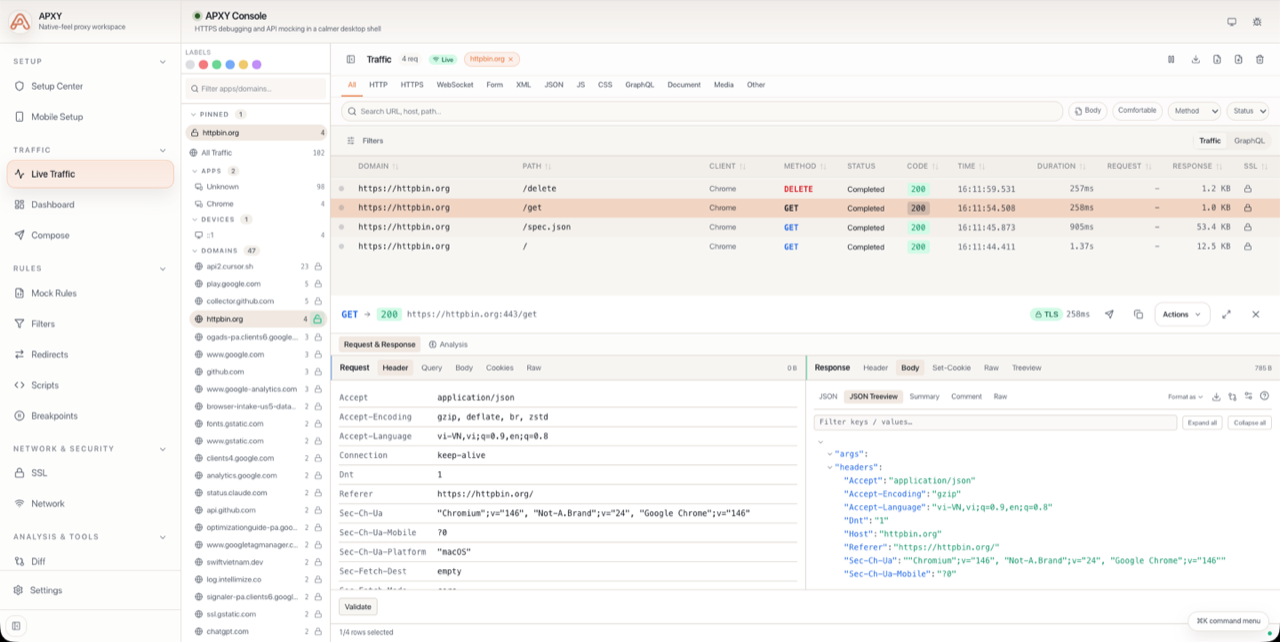
APXY traffic inspector showing captured requests and responses
Charles Proxy

APXY vs Charles Proxy

Charles Proxy is still a known desktop proxy, but APXY is a better fit when debugging needs to be repeatable, shareable, and agent-assisted.

Why readers open this guide
  • APXY is designed for CLI workflows and AI coding agents as well as a Web UI.
  • Mock templates, examples, and export flows fit modern team debugging better.
APXY comparison view showing request diffing after a change
mitmproxy

APXY vs mitmproxy

mitmproxy stays strong for flexible scripting and low-level control, while APXY is easier to adopt when teams want packaged workflows, UI clarity, and faster operational use.

Why readers open this guide
  • APXY is more opinionated and easier to adopt for typical product teams.
  • Comes with packaged workflows for capture, replay, diff, and templates.