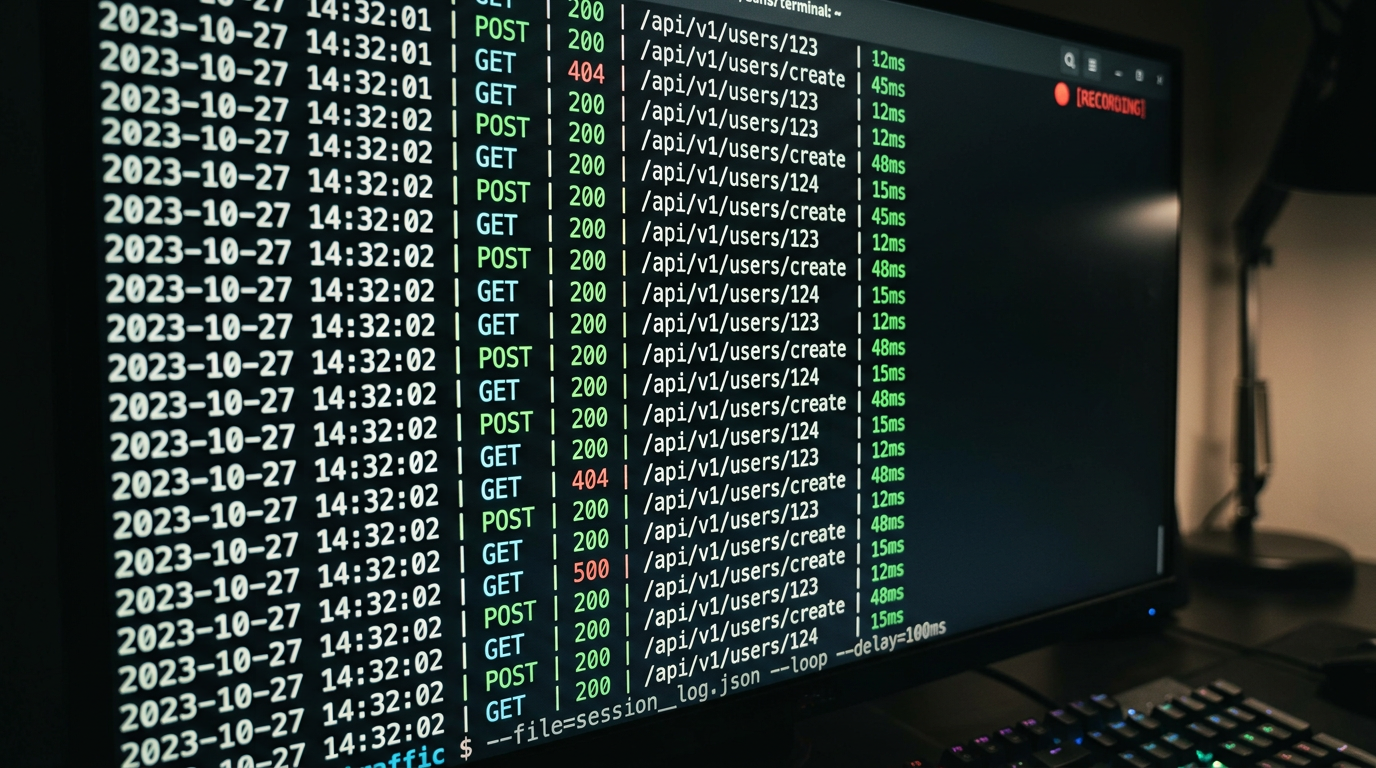
Record and Replay API Traffic for Regression Testing with APXY
Record real API traffic once, convert it to mock rules, and replay those exact responses against future code changes. Catch regressions before they reach production without maintaining a live test environment.
The hardest part of API regression testing is not writing the assertions. It is maintaining a consistent baseline. Live APIs change: rate limits kick in, test data gets modified, third-party sandboxes go down. By the time your regression test fails, you are not sure if the code broke or the environment changed.
Record-and-replay solves this. You capture real API responses once, convert them to mock rules, and run your tests against those mocks. The baseline is frozen. Failures mean your code changed — not the environment.
How it works
The workflow has three phases:
- Record: Start APXY, exercise your application normally, and save the traffic
- Convert: Turn captured responses into mock rules — one command per endpoint, or automated for the whole session
- Replay: Run your tests with the proxy routing traffic to the mocks instead of the live API
Phase 1 happens once (or whenever you want to refresh the baseline). Phases 2 and 3 happen on every test run.
Phase 1: Record real traffic
Start a recording session
APXY is always capturing traffic, but the recording start/stop commands let you demarcate a specific session:
apxy recording startThis marks the beginning of the session in the traffic log. Everything captured after this point is associated with the current recording.
Exercise your application
Run the workflows you want to baseline. For example, if you are testing a checkout flow:
- Load the product page
- Add an item to the cart
- Proceed to checkout
- Submit the order
Every API call your application makes goes through the proxy and is captured.
Stop the recording
apxy recording stopReview what was captured
apxy logs list --format markdown --limit 20You will see every request your application made, with status codes and response times. Review this list and identify the endpoints you want to include in your mock baseline.
Phase 2: Convert traffic to mock rules
For each endpoint you want to freeze, convert the captured response into a mock rule.
Find the record ID for a specific request:
apxy logs list --format json | grep -A 5 "api/products"Export as a cURL command to verify the request first:
apxy logs export-curl --id <record-id>Create a mock rule from the captured response:
apxy mock add \
  --name "GET /api/products" \
  --url "https://api.example.com/api/products" \
  --match exact \
  --status 200 \
  --body '{"products":[{"id":1,"name":"Widget","price":9.99}]}'
Paste the response body from the captured record directly into --body. The mock now returns the exact response your application received during the recording session.
Handling dynamic endpoints
For endpoints with path parameters — /api/orders/123, /api/users/456 — use wildcard or regex matching so the mock covers all variants:
# Wildcard: matches /api/orders/any-id
apxy mock add \
  --name "GET /api/orders/:id" \
  --url "https://api.example.com/api/orders/*" \
  --match wildcard \
  --status 200 \
  --body '{"id":123,"status":"confirmed","total":29.99}'

# Regex: matches /api/users followed by a numeric ID
apxy mock add \
  --name "GET /api/users/:id" \
  --url "https://api.example.com/api/users/[0-9]+" \
  --match regex \
  --status 200 \
  --body '{"id":1,"name":"Test User","email":"test@example.com"}'
Save rules to your project config
Once you have the mock rules working, export them to your project's .apxy/ directory so they are version-controlled:
apxy config export --output .apxy/regression-mocks.jsonCommit this file. Other developers and CI runs load the same mock baseline automatically when they start the proxy from this directory.
Phase 3: Replay in tests
With mock rules in place, run your test suite with the proxy active. The tests hit the mocks instead of the live API:
# Start the proxy (loads rules from .apxy/)
apxy start

# Run tests through the proxy
eval $(apxy env) && npm test
Every API call your tests make returns the frozen baseline response. If a test fails, it is because the code changed — not because the API was down or the test data was modified.
Refreshing the baseline
When you intentionally update the API contract — a new field, a changed response structure — refresh the baseline by re-recording:
# Delete old mock rules for the changed endpoints
apxy mock list  # find the IDs
apxy mock remove --id <old-rule-id>

# Record fresh traffic
apxy recording start
# ... exercise the updated workflow ...
apxy recording stop

# Create new mock rules from the fresh recording
apxy mock add ...
A complete CI example
name: Regression tests

on: [push, pull_request]

jobs:
  test:
    runs-on: ubuntu-latest
    steps:
      - uses: actions/checkout@v4

      - name: Install APXY
        run: curl -fsSL https://apxy.dev/install.sh | bash

      - name: Start proxy (loads mock rules from .apxy/)
        run: |
          apxy start --no-system-proxy --web-port 0 &
          sleep 2

      - name: Run regression tests against mocks
        run: eval $(apxy env) && npm test
The mock rules are committed to the repository as .apxy/regression-mocks.json. The CI environment loads them automatically, and the tests run against the frozen baseline.
The broader pattern
Record-and-replay sits between two common approaches:
- Integration tests with a live API: accurate but fragile — failures mean code or environment broke
- Unit tests with manually written mocks: stable but expensive — every mock is hand-authored and drifts from reality
Record-and-replay captures real behavior once and makes it stable. The mocks are grounded in actual API responses, not imagined ones. And because they are version-controlled alongside your code, they evolve deliberately rather than silently.
For the underlying traffic capture workflow, see How to Debug a Failing API Call with APXY. For the CI setup that powers this pattern, see How to Debug API Errors in CI/CD Pipelines.
Debug your APIs with APXY
Capture, inspect, mock, and replay HTTP/HTTPS traffic. Free to install.
Install FreeRelated articles
How to Validate API Contracts with OpenAPI and APXY
Import an OpenAPI spec into APXY and validate your live traffic against it. Find requests your code sends that don't match the spec — before they become production bugs.
InsightThe Real Cost of Flaky API Tests
A test that sometimes passes and sometimes fails is not a test -- it is noise. Here is what flaky API tests actually cost your team, and what to do about it.